Compute Kundli
Renders a chartcompute_kundliFull Vedic birth chart from birth details — North Indian Rasi chart, planetary positions and the running Vimshottari dasha.
Try“Make a kundli for 14 August 1990, 8:32am, Jaipur”
AstroLens runs a free, public MCP server. Connect it once and your AI assistant can compute a real Vedic birth chart, run an Ashtakoot match and interpret both — with the same engine this site uses. No account, no API key, no cost.
https://astrolens.getsuper.ai/mcp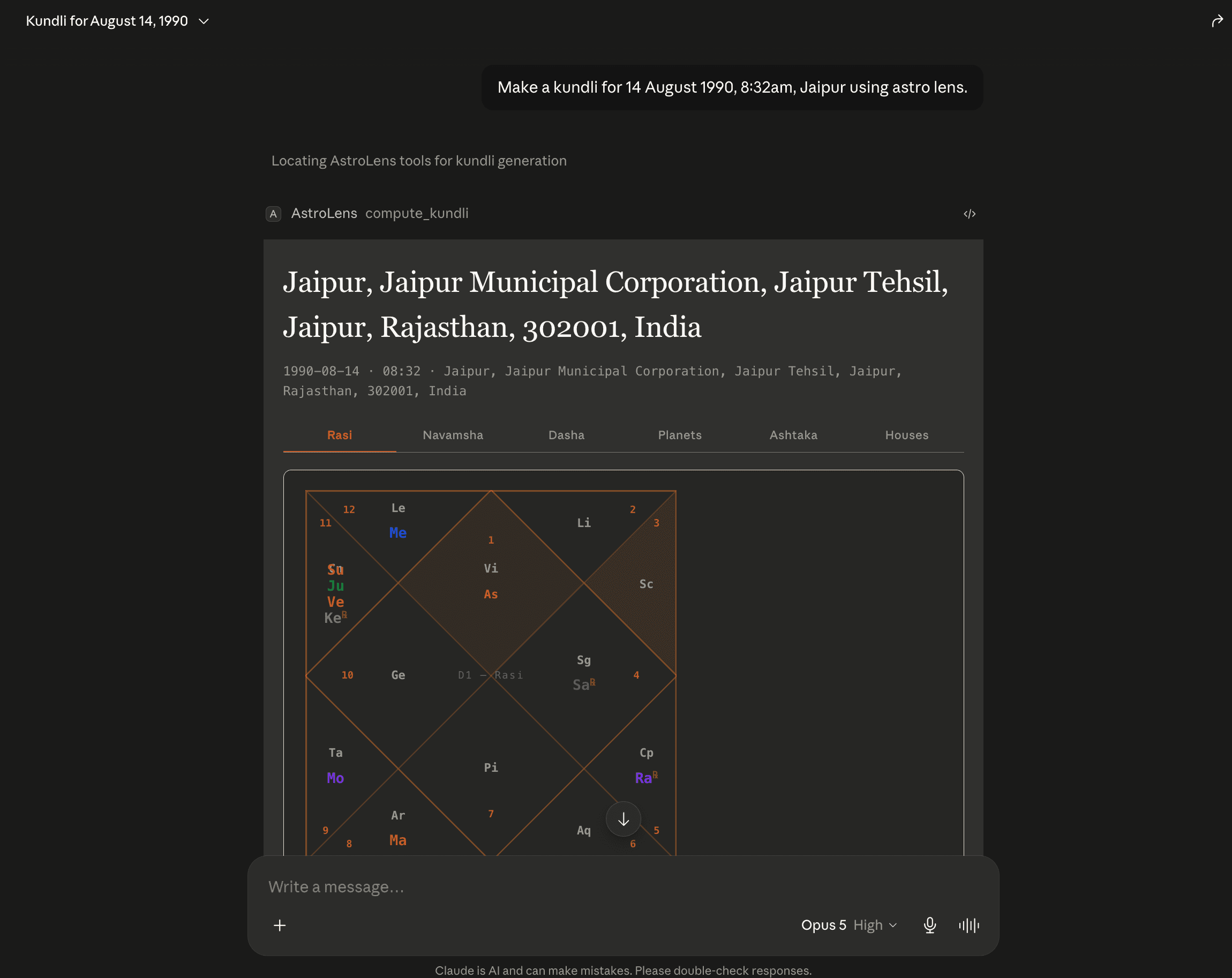
Four tools. Ask in plain language — the assistant picks the right one.
compute_kundliFull Vedic birth chart from birth details — North Indian Rasi chart, planetary positions and the running Vimshottari dasha.
Try“Make a kundli for 14 August 1990, 8:32am, Jaipur”
match_kundliAshtakoot Milan compatibility between two birth charts — all eight koots scored, Manglik status, both charts rendered.
Try“Match these two: 14 Aug 1990 8:32am Jaipur, and 2 Mar 1992 6:15pm Pune”
interpret_kundli_promptReturns the AstroLens interpretation method so the model reads the chart the way this app does — testable checkpoints, reasoning shown, nothing vague.
Try“Now interpret that chart and give me testable checkpoints”
geocode_placeResolves a place name to latitude and longitude, so an ambiguous birth city can be pinned down before the chart is computed.
Try“Which Hyderabad do you mean — find the coordinates”
Everything you need if your client isn’t listed below.
The server is stateless and holds no data about you. It computes charts through the same public AstroLens API this website uses — birth details pass through to compute the chart and are not stored by the connector.
Claude renders the full interactive chart inline. This is the best experience of the two.
Name it AstroLens and paste the server URL. Leave authentication empty — the server doesn’t use any.
https://astrolens.getsuper.ai/mcp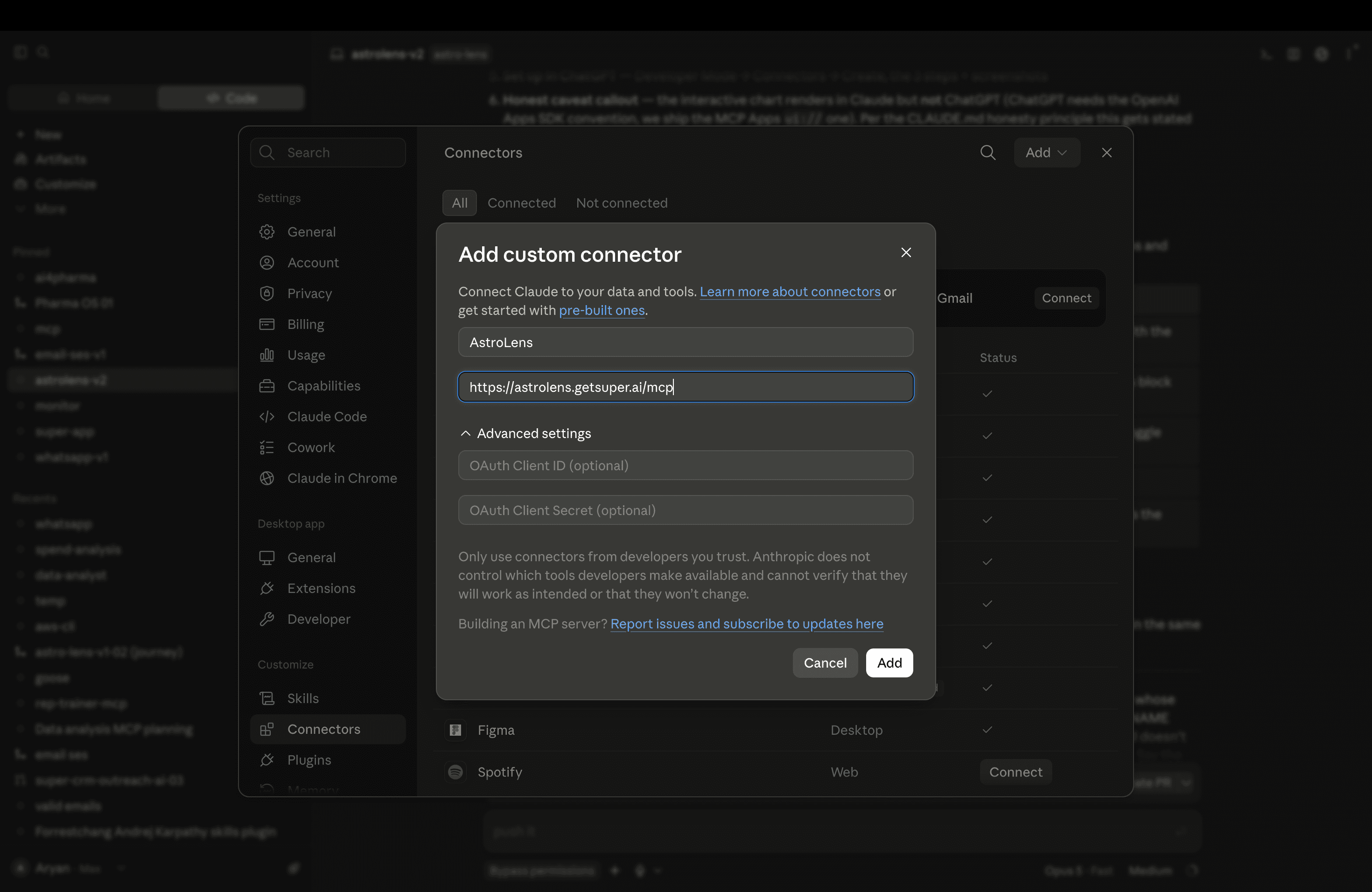
Add this block, then restart the app. Desktop points straight at the URL — nothing to install.
{
  "mcpServers": {
    "astrolens": {
      "type": "url",
      "url": "https://astrolens.getsuper.ai/mcp"
    }
  }
}~/Library/Application Support/Claude/claude_desktop_config.json%APPDATA%\Claude\claude_desktop_config.json
In a new conversation: “Make a kundli for 14 August 1990, 8:32am, Jaipur”. The chart renders inline.
Some stdio-only clients predate direct URL support. mcp-remote bridges the remote server over stdio for those. It needs npx and is slower to start, so only reach for it if the block above doesn’t work.
{
  "mcpServers": {
    "astrolens": {
      "command": "npx",
      "args": ["-y", "mcp-remote", "https://astrolens.getsuper.ai/mcp"]
    }
  }
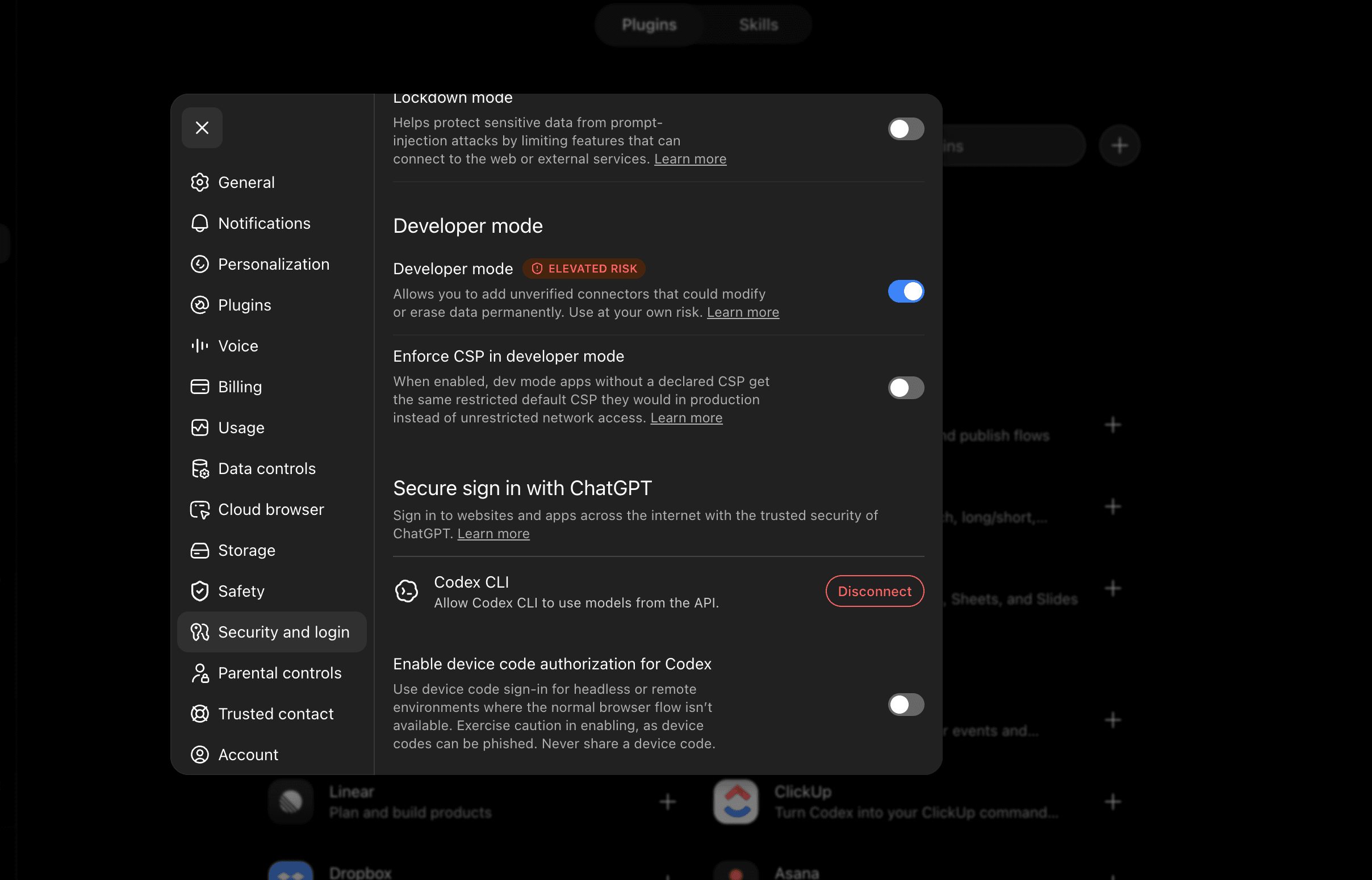
}Requires a paid plan (Plus, Pro, Business or Enterprise) — connectors are not available on the free tier.
Custom MCP connectors are behind this toggle.
Name AstroLens, paste the MCP server URL, set authentication to None.
https://astrolens.getsuper.ai/mcp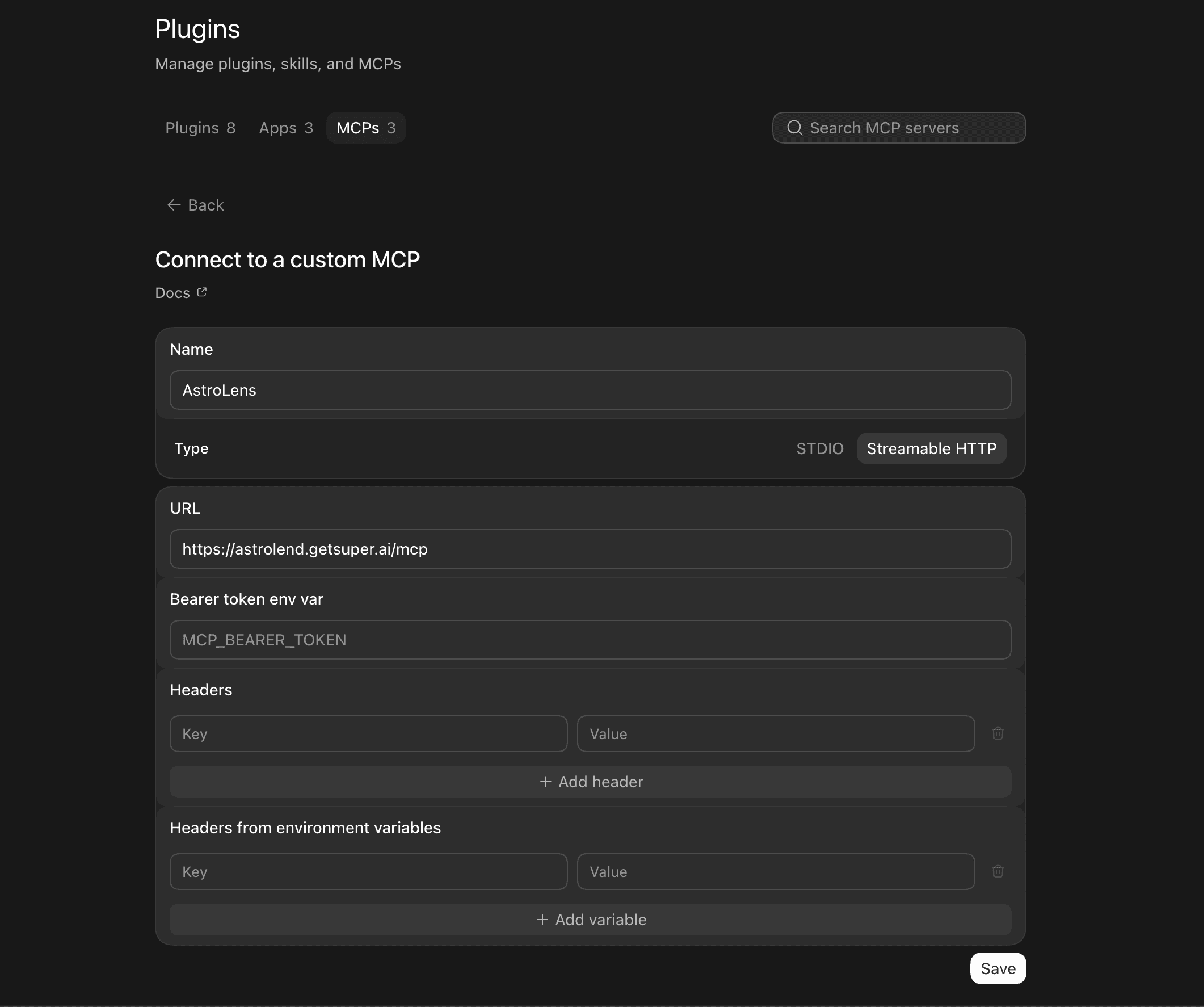
Open + / Tools in the composer, switch on AstroLens, then ask for a kundli.
Everything the MCP server does is on this site too — the free kundli, the match report and the full reading.